 RunVPN
RunVPN on your TV
Your RunVPN account, now on the big screen. Sign in by scanning a QR code with your phone, then connect with the remote, without typing passwords letter by letter with the arrow keys.
Google Play is finishing its review of the TV version. If the Play Store on your TV doesn’t show RunVPN yet, check again in a few days.
- Android TV and Google TV
- QR sign-in from your phone
- Included in Premium
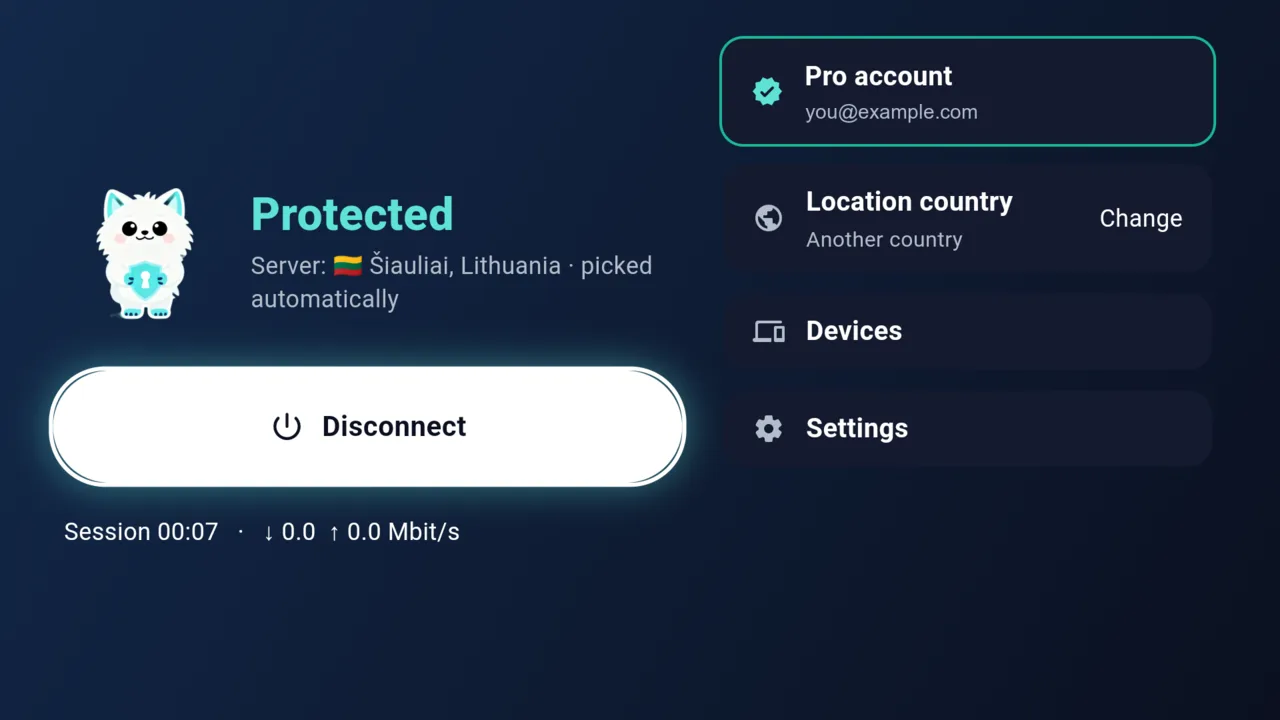
What the app does
Sign in with a QR code
The TV shows a QR code. Scan it with the RunVPN app on your phone, approve, and the TV signs in by itself within a couple of seconds.
Made for the remote
Large buttons and arrow-key navigation let you connect, disconnect and open Settings without a mouse or keyboard.
Or use an email code
No phone nearby? Enter your email and the code we send using the on-screen keyboard.
Private at home
Traffic from the TV is encrypted between the TV and RunVPN servers, so your internet provider sees only an encrypted connection.
One press to connect
Press Connect on the remote. If a server stops responding, the app switches to a backup on its own.
One of your Premium devices
The TV takes one of the five device slots on your Premium subscription, and you can remove it from Settings at any time.
Get started in three steps
- 1
Install RunVPN on the TV
Open Google Play on your Android TV or Google TV and search for RunVPN.
- 2
Scan the QR code
On your phone, open RunVPN, go to Settings → Scan QR code and point the camera at the TV.
- 3
Connect with the remote
Press Connect. The TV shows when the VPN is on.
Requirements
- Android TV or Google TV, Android 7.0 or later
- RunVPN Premium
- The RunVPN phone app for QR sign-in (or sign in with an email code)
One account for every device
Start on the free plan to try the VPN on one device. RunVPN Premium opens every location, lifts the free plan’s data allowance and covers up to five devices, so your phone, computer and TV share one subscription.
RunVPN does not record the sites you visit, your DNS queries or the content of your traffic. The limited account and connection data we keep is described in the Privacy Policy.
Questions
Do I need Premium?+
Yes, RunVPN on TV is part of Premium. If you sign in with a free account, the TV offers to upgrade.
Which TVs are supported?+
TVs and set-top boxes with Android TV or Google TV, such as Sony, TCL, Philips, Xiaomi Mi Box, Chromecast with Google TV and NVIDIA Shield. Amazon Fire TV isn’t supported yet.
I can’t find RunVPN in Google Play on my TV+
Google Play is finishing its review of the TV version. If the Play Store on your TV doesn’t show RunVPN yet, check again in a few days or write to support.