Discord VPN: Keep Voice Chat Stable and Your IP Private
A raid boss fight, a ranked match tied 2-1, and suddenly your voice starts cutting into robotic fragments while your teammate’s audio stays perfectly clean. Discord’s own support forums treat this as one of the platform’s most common complaints, and it usually has nothing to do with your microphone.
Why Discord voice breaks before anything else
Discord’s voice and video calls run over UDP, which favors low latency by dropping late-arriving packets instead of waiting for them to be retransmitted. Text messages and file uploads use TCP and tolerate a shaky network far better. Discord’s monthly active user base is estimated at well over 200 million in 2026, with a DAU/MAU ratio of around 12% — meaning the platform’s voice servers run under heavy, constant load, and it doesn’t take much extra jitter on your end to tip a call into stutter territory. Home routers and public Wi-Fi networks under load frequently deprioritize UDP traffic first, which is exactly why voice degrades while everything else in the app looks fine.
Your IP address is more exposed than you think
Group calls and some direct connections can expose your IP address to the people you’re talking to. Discord’s own safety documentation and independent security researchers describe this as a common precursor to doxxing and swatting — someone traces an IP back to a real address after a dispute in a server or a match.
Even one heated voice call is enough for someone determined to log an IP address. You don’t need to be a public streamer to be a target.
What a VPN actually changes for Discord
A VPN encrypts traffic between your device and the VPN server, so the people and servers you connect to on Discord see the VPN’s address instead of your home or mobile IP. It doesn’t change what you can say or who you can talk to — it changes what’s visible about where you’re connecting from. Our Discord access guide has more on what a stable connection looks like day to day.
What you get with a VPN on Discord:
- Privacy in group calls — your real IP stays with RunVPN, not the other participants
- Protection on public Wi-Fi — cafes, campus networks, and hotel Wi-Fi are common interception points
- One account, up to 5 devices — phone, tablet, and a backup device on the same plan
- Traffic privacy — RunVPN does not store websites, DNS queries, traffic destinations, or traffic content; limited connection records are retained for 30 days.
Not every VPN protocol handles voice the same way
| VPN transport | Type | Effect on Discord voice |
|---|---|---|
| TCP-only (many free VPNs) | TCP | Retransmits lost packets, adds delay, calls freeze then jump |
| AmneziaWG | UDP, WireGuard-based | Matches Discord’s own transport, minimal added lag |
| VLESS-Reality (XTLS-Vision) | Optimized TCP handshake | Steady connection for chat and browsing, resistant to throttling |
RunVPN runs on AmneziaWG by default, with VLESS-Reality on the Xray engine as a second option — both selected automatically. You never pick a protocol manually; the app just connects. Read more about how AmneziaWG works.
Setting up RunVPN for Discord
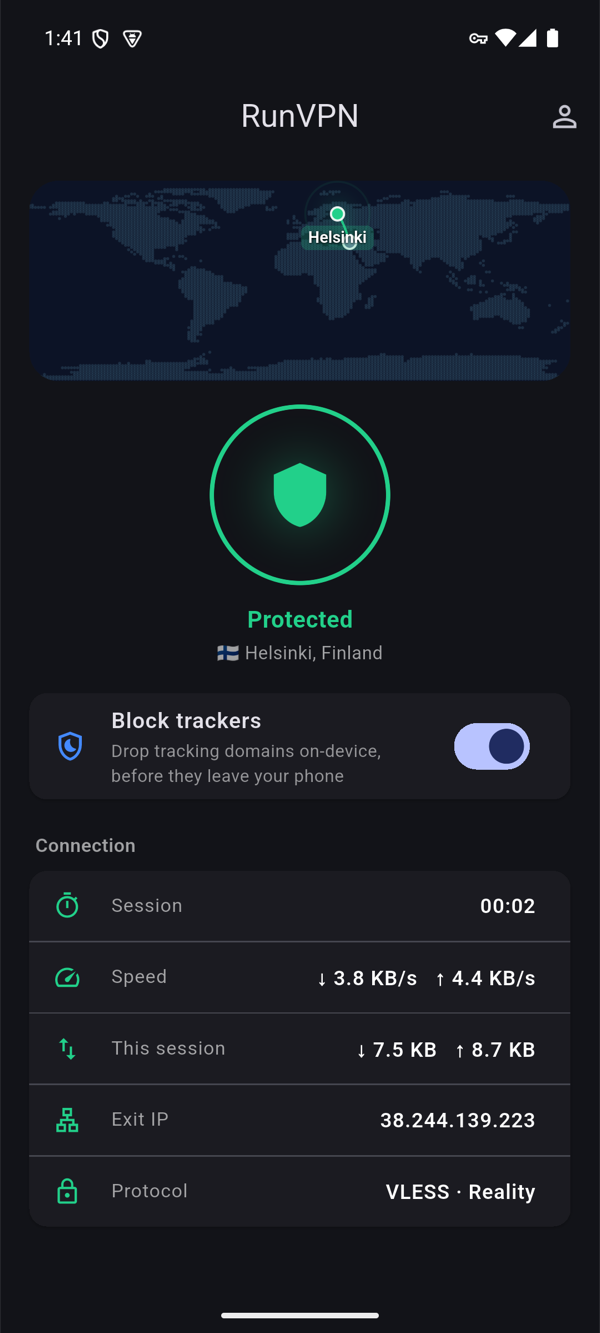
- Download the RunVPN app — Android is available now, iOS is coming soon.
- Sign in with Google, email, or Telegram. There’s no manual configuration screen.
- Tap Connect. The app fetches its setup automatically — nothing to import or paste.
- Open Discord and join your call or server as usual.
FAQ
Does a VPN slow down Discord voice calls? Any VPN adds some latency, typically 20-100ms depending on distance to the server. UDP-based protocols like AmneziaWG keep that overhead low enough that it’s rarely noticeable in casual voice chat.
Can Discord tell I’m using a VPN? Discord can sometimes recognize a VPN IP range, the same as any online service, but this doesn’t block voice or text features.
Will a VPN stop people from seeing my IP in a call? Yes. Participants and any server-side connection see the VPN server’s address, not your home or mobile IP.
Do I need to change any settings inside Discord? No. Connect RunVPN first, then open Discord as usual — no app settings to adjust.