VPN for Remote Work: Staying Secure on the Road in 2026
Twenty-nine percent of remote workers admit to using public Wi-Fi for work without a VPN at least once a month, according to a 2026 StationX security survey. That single habit — checking email at a gate, finishing a deck at a coffee shop — is how a laptop full of client files ends up exposed on a network nobody owns or monitors.
Remote work didn’t just change where people sit. It changed the network they trust by default, and that network is rarely trustworthy.
Why “just this once” adds up
The global remote and digital-nomad workforce is no longer a niche. Estimates for 2026 put the number of digital nomads worldwide at roughly 43 million, working from co-working spaces, hotel lobbies, and airport lounges across dozens of countries — 66 of which now offer a dedicated visa for exactly this lifestyle. Every one of those locations comes with its own shared, unmanaged network.
The cost of getting this wrong is not theoretical. A 2026 IBM-style breach analysis found that incidents with a remote-work factor add roughly $1.07 million to the average cost of a data breach compared to incidents without one. Separately, 52% of security incidents recorded in 2025 involved a remote worker’s device or connection. Public Wi-Fi isn’t the only cause, but it’s consistently one of the easiest to fix.
Quick gut check: if you’ve ever opened your laptop at an airport, hotel, or café and connected to Wi-Fi without thinking twice, that’s the exact moment a VPN is doing its job — or the moment it should have been running.
What actually happens on an open network
Public Wi-Fi networks are, by design, shared with strangers. Without encryption, a device on the same network can potentially observe unencrypted traffic, impersonate the router, or intercept login sessions — a class of attack broadly known as a man-in-the-middle attack. A VPN closes this gap by wrapping your traffic in an encrypted tunnel before it ever touches the local network, so the café router — or anyone else on it — sees only sealed, unreadable packets.
What a VPN actually changes for remote work
A VPN doesn’t just hide a location — it changes the properties of every connection you make while traveling or working from a shared network:
- Encryption in transit. Login credentials, client documents, and internal tools stay unreadable to anyone else on the same network.
- A private tunnel on any network. Hotel Wi-Fi, airport lounges, co-working spaces, mobile hotspots — the tunnel behaves the same everywhere.
- A stable connection under inspection-heavy networks. Modern protocols like VLESS-Reality (XTLS-Vision) and AmneziaWG are built to stay fast and reliable even on networks that aggressively inspect traffic, so your connection doesn’t randomly degrade mid-call.
- One login across devices. A phone, tablet, and laptop can share the same protected setup instead of each being its own risk.
Takeaway: the value isn’t “invisibility” — it’s that your traffic stops being plaintext the moment it leaves your device.
Getting protected before your next trip
Setting up protection for remote work takes minutes, not a networking course:
- Download the app. RunVPN is available for Android now, with iOS and desktop coming soon.
- Sign in with Google, email, or Telegram — no manual configuration required.
- Tap connect. The app fetches its configuration automatically in the background; there’s no config file, QR code, or link to paste.
- Work as usual — email, video calls, cloud drives, client portals — with the connection running in the background.
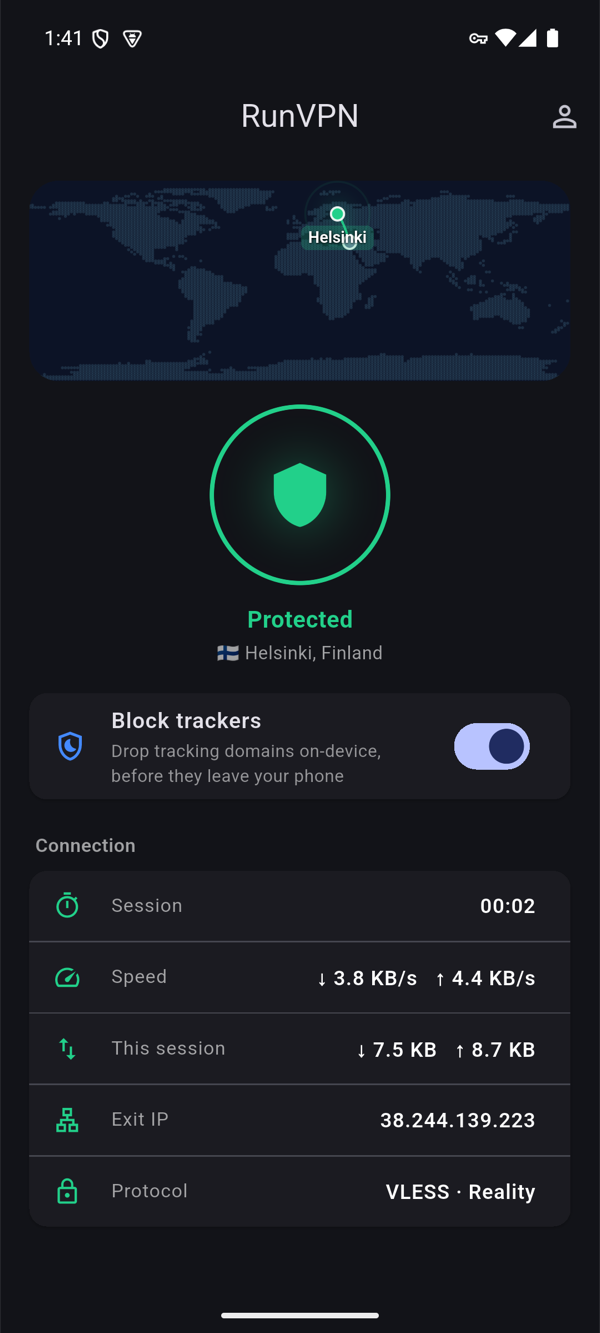
VPN on vs. off: what changes on a shared network
| Scenario | Without VPN | With VPN |
|---|---|---|
| Airport/café Wi-Fi | Traffic visible to others on the network | Traffic encrypted end-to-end to the server |
| Login sessions | Vulnerable to interception on open networks | Wrapped in an encrypted tunnel |
| Network throttling/inspection | Some networks slow or flag VPN-like traffic | AmneziaWG / VLESS-Reality tuned for stability |
| Multiple devices | Each device is its own exposure point | Up to 5 devices, one account |
| Setup effort | N/A | Login + tap connect, nothing to configure |
FAQ
Do I need a VPN if I only check email on hotel Wi-Fi? Yes — email credentials and message content are exactly the kind of traffic that’s exposed on an unencrypted shared network, even for a two-minute check.
Will a VPN slow down video calls? A well-tuned protocol shouldn’t be noticeable in daily use. AmneziaWG and VLESS-Reality are both designed for low-latency, stable throughput rather than just raw encryption.
Can I use RunVPN on my laptop today? Android is live now; iOS and desktop support are coming soon. In the meantime, protecting your phone’s hotspot or tethering connection covers a laptop that connects through it.
Does RunVPN keep logs of my activity? No — RunVPN operates under a no-logs policy, which matters most exactly when you’re working from networks you don’t control.
Protect your next work trip before you open your laptop — get RunVPN.