Why Does My VPN Keep Disconnecting? Causes and Fixes
Your VPN app says “Connected.” Thirty seconds later your video call freezes, the icon flips to “Reconnecting,” and it happens again the moment you walk from the living room to the kitchen. This is one of the most common VPN complaints, and it’s rarely one single bug — it’s usually two or three small things stacking on top of each other.
What actually causes a VPN to drop
Most disconnects trace back to a short list of causes:
- Background app killing — the phone’s OS suspends the VPN process to save battery, so the tunnel silently dies.
- Network handoffs — switching from Wi-Fi to mobile data (or between cell towers) changes your device’s IP address mid-session.
- Weak signal or packet loss — a shaky connection makes the handshake time out before it completes.
- Protocol mismatch — some VPN transports handle interruptions far worse than others (more on this below).
- Device limits — most plans cap simultaneous connections, and going over that limit can force a random device offline.
- Outdated app builds — old versions miss reconnection-logic fixes shipped in later releases.
Quick gut check: if the drop always happens at the exact same moment — screen lock, leaving the house, switching apps — you’ve already narrowed it down to one of the causes above.
Android’s battery optimization is the number one culprit
On Android specifically, aggressive power management is the single biggest source of “random” disconnects. The community-run dontkillmyapp.com project has documented how far individual manufacturers push this: Samsung’s “Sleeping Apps” list suspends an app after roughly three days without foreground activity, Xiaomi’s HyperOS resets autostart permissions after every OTA update, and Huawei/Honor’s PowerGenie flags any app that wakes the system more than about three times a day as “frequently wakes your system” — and throttles it accordingly.
None of this is VPN-specific. It’s the same battery logic that kills messaging apps and fitness trackers in the background — a VPN just makes the symptom more visible because you notice the moment it stops protecting your traffic.
What to check:
- Open your phone’s battery settings and exclude the VPN app from optimization.
- If your manufacturer has an “autostart” or “protected apps” list, add the VPN app to it.
- Re-check after every OS update — several OEMs silently reset these permissions.
Network handoffs: the “walking out the door” drop
When your phone hops from Wi-Fi to mobile data, its IP address changes underneath the running VPN session. A well-built client handles this in a few concrete steps:
- Detect the network change immediately (new interface, new IP).
- Trigger a fresh encrypted handshake instead of waiting for a timeout.
- Resume the session on the new path without asking you to log in again.
- Keep running in the background long enough to finish that handshake.
If any one of those steps is missing, the app either freezes on “Reconnecting” or drops the tunnel entirely and falls back to unprotected traffic.
Protocol choice matters more than people think
Not every VPN transport survives a shaky mobile connection equally well. WireGuard’s own documentation is explicit about this: the protocol runs over UDP only and deliberately avoids tunneling over TCP, because TCP-over-TCP produces what the WireGuard team calls “classically terrible network performance” — retransmissions stack on retransmissions and the connection stalls instead of just dropping a packet and moving on.
| Symptom | Likely cause | Quick fix |
|---|---|---|
| Drops right after the screen locks | Battery optimization suspended the app | Exclude the app from battery optimization |
| Drops the moment you leave Wi-Fi range | Network handoff not handled cleanly | Use a client with automatic rekey on network change |
| Drops on hotel/airport Wi-Fi specifically | That network throttles or blocks UDP traffic | Use a client that falls back to a resilient transport |
| Drops randomly across every network | Device limit reached on the account | Sign out unused devices, check your plan’s limit |
| Started after an app or OS update | Outdated build missing reconnection fixes | Update to the latest app version |
Device limits and account-level issues
Before blaming the network, rule out the account side:
- Devices signed in — most plans cap simultaneous connections; a phone left signed in at a friend’s place can quietly eat that slot.
- App version — reconnection logic improves release over release; an old build is missing fixes.
- Subscription status — an expired plan can silently downgrade your connection instead of showing an error.
- Battery/autostart permissions — re-check these after every OS update, as covered above.
How RunVPN keeps the tunnel alive
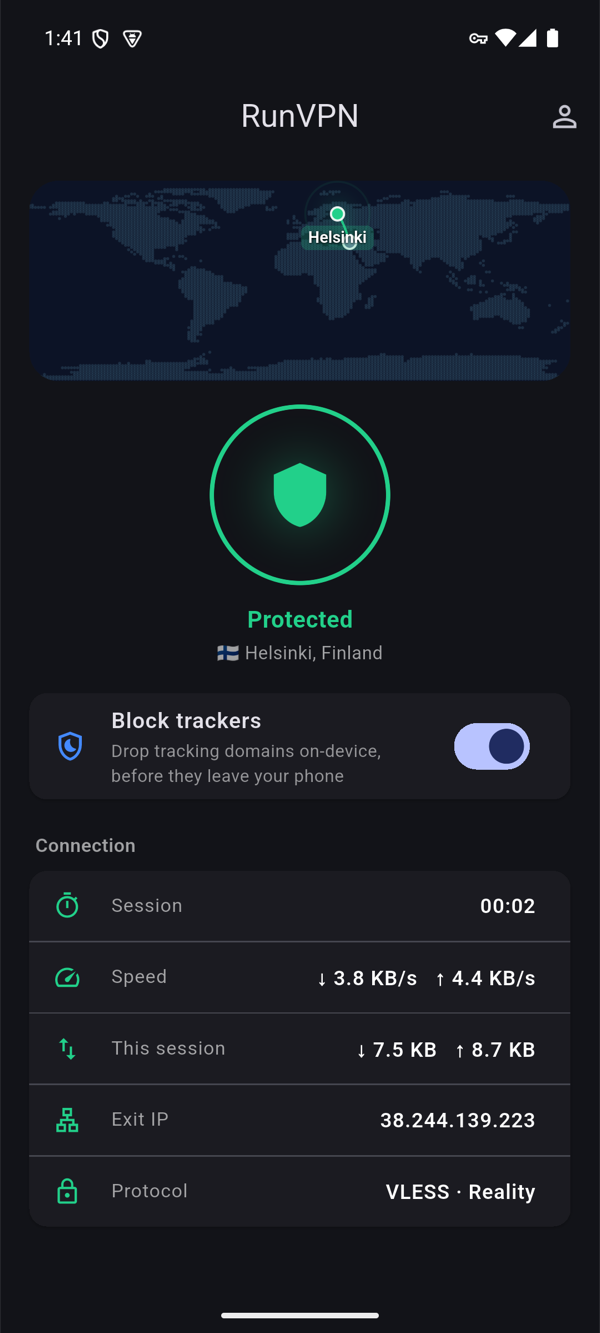
RunVPN runs on AmneziaWG by default — a UDP-based transport built for exactly the kind of network switching described above — with VLESS-Reality available as an alternate path over the Xray engine. There’s nothing to configure manually: you sign in with Google, email, or Telegram, the app fetches its configuration automatically, and you tap connect. Each account supports up to five devices, and the service keeps no connection logs.
FAQ
Does closing other apps help my VPN stay connected? Sometimes — if your device is under memory pressure, the OS is more likely to kill background processes, including the VPN. Freeing up memory can reduce that pressure.
Is it normal for a VPN to drop when I switch from Wi-Fi to mobile data? A brief handshake pause is normal. A full disconnect that requires logging in again is not — that’s a sign the client isn’t handling the network handoff cleanly.
Does a VPN drain my battery, causing the OS to kill it? A UDP-based protocol like AmneziaWG is lightweight and shouldn’t cause noticeable drain on its own. It’s more often the reverse: the OS suspends the app pre-emptively as part of general battery management, not because the VPN itself is heavy.
Will reinstalling the app fix repeated disconnects? It can help if the issue is a corrupted local session, but check battery/autostart permissions first — a fresh install often loses those exclusions and needs them set again.
Download RunVPN and get a connection built to survive network switches.